🐝 Highlight the web.
Keep the knowledge.

HoneyBee lets you save any text, quote, or an idea from any website straight to your Sumnotes library — with a single right-click. With HoneyBee, you can build a personal, organized library of everything worth remembering, and make it stick.

Add HoneyBee to Chrome Create a free account

Requires a Sumnotes account.

Save a highlight to Sumnotes with HoneyBee

Everything you highlight, saved and searchable

Capture the best of what you read online and turn it into lasting, organized knowledge.

Highlight anything

Select any text, quote, or study idea on any website and save it in one click.

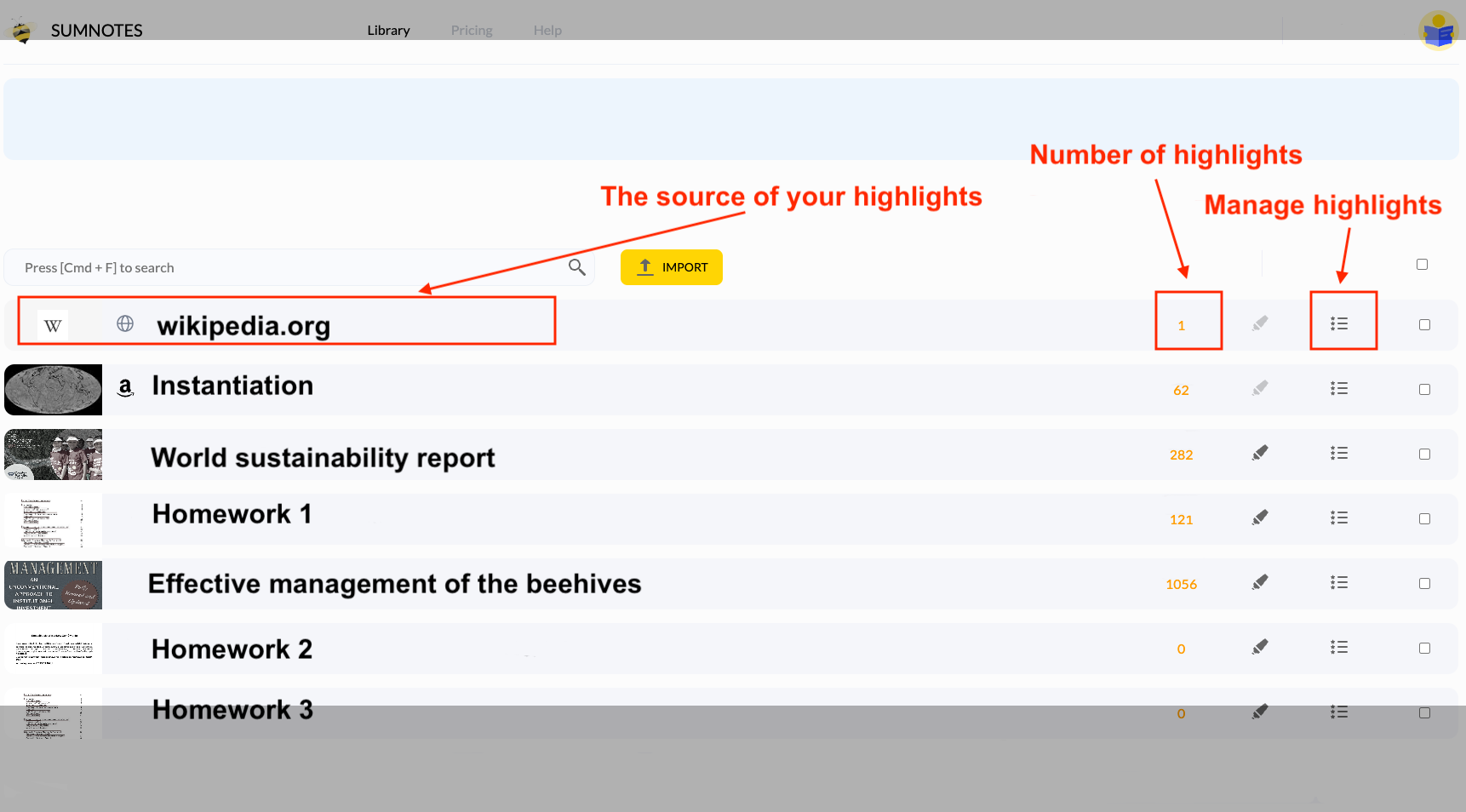
Organized by source

Highlights are automatically grouped by the website they came from.

Tag & manage

Tag, search, and edit your highlights in one place — your notes outlive the tab.

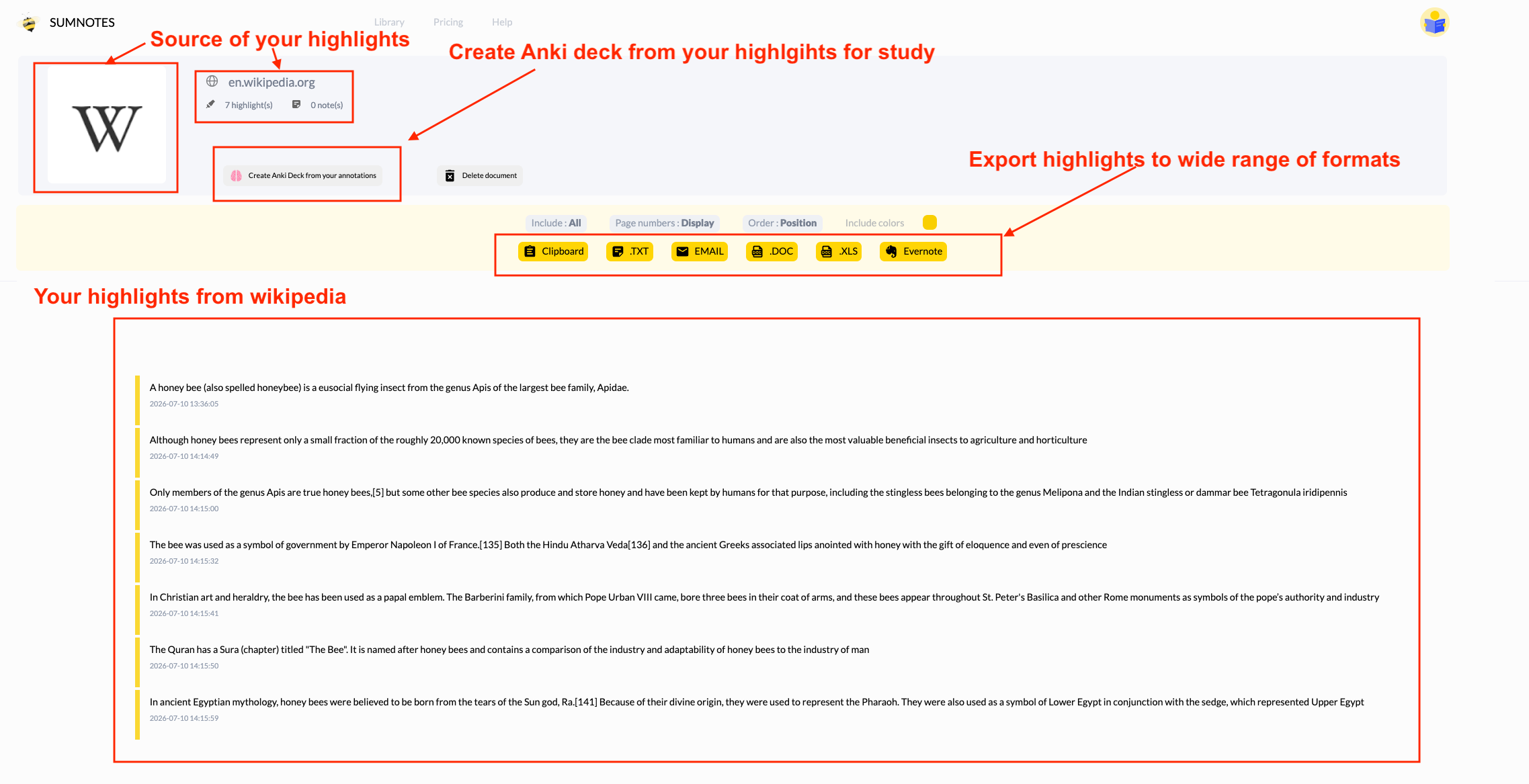
Anki flashcards

Turn your highlights into Anki decks and remember what you read.

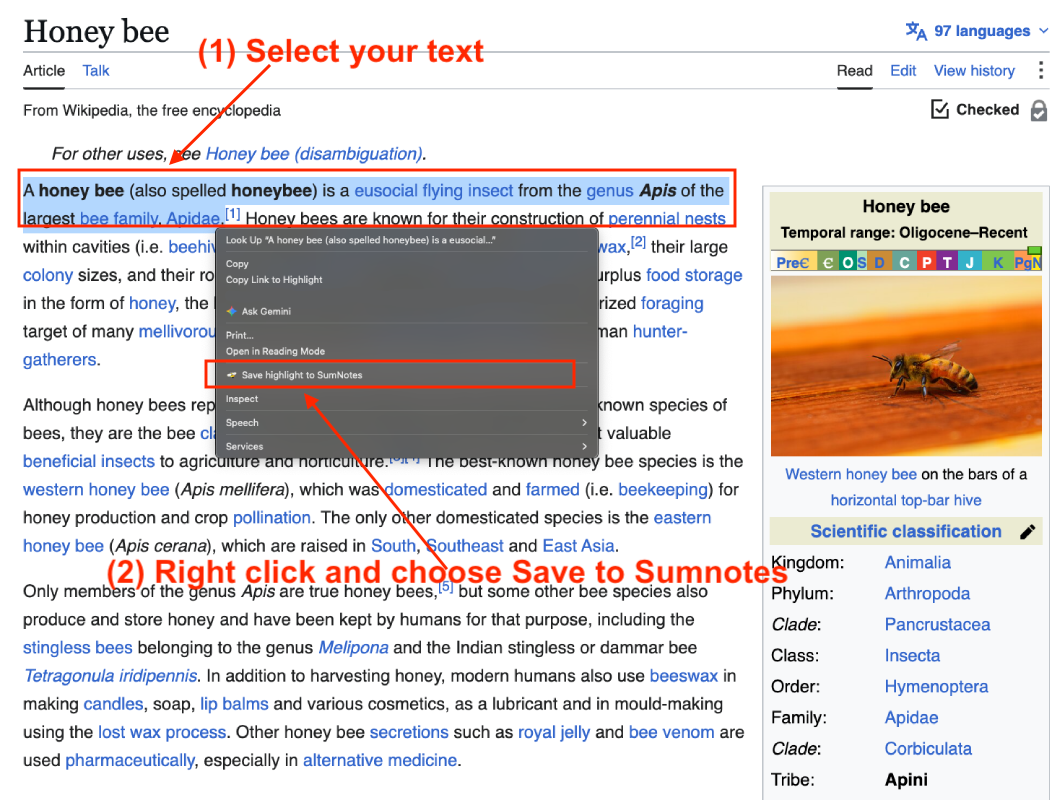
Save as you read

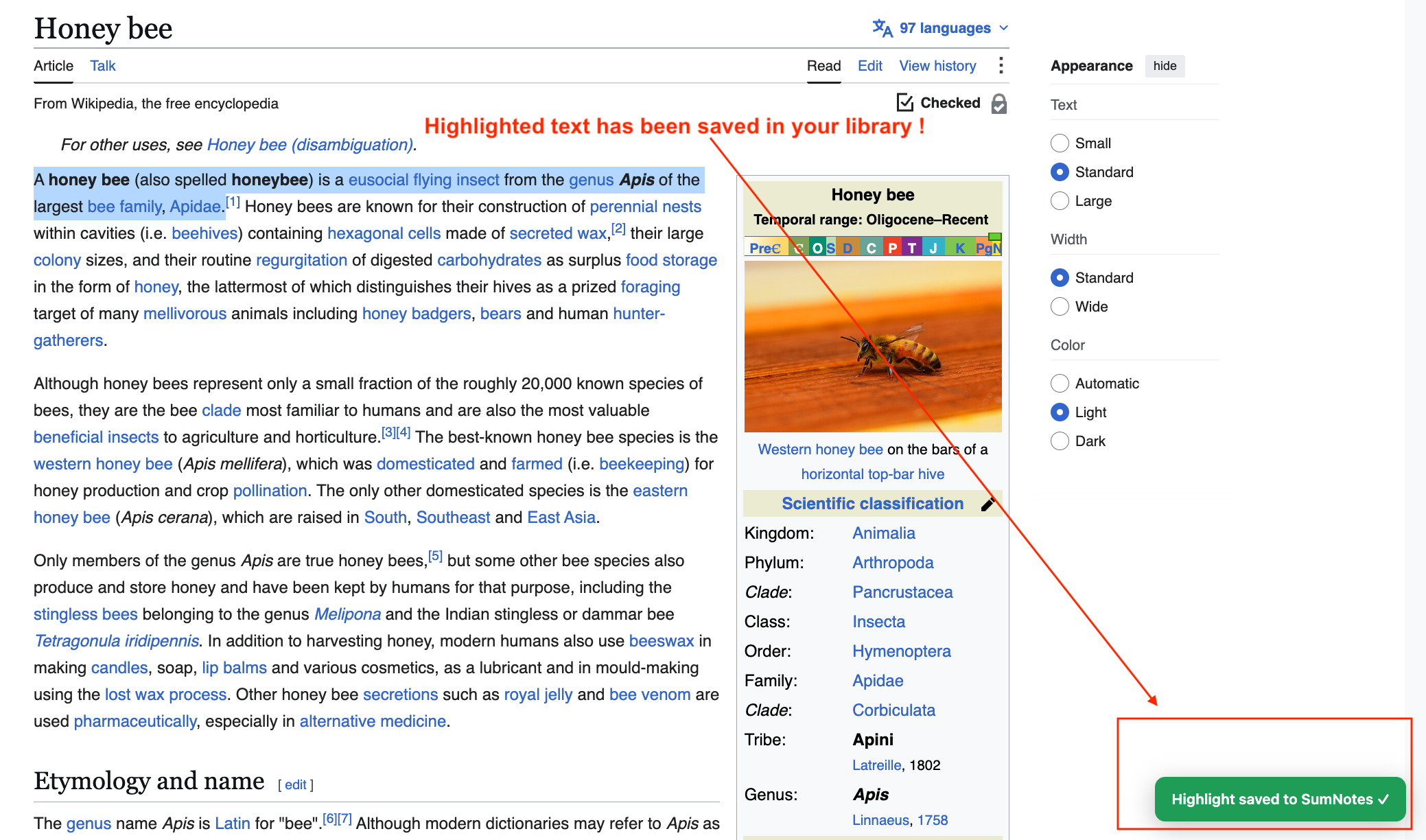
Found a sentence worth keeping? Select it, right-click, and choose “Save highlight to Sumnotes.” No copy-pasting, no lost tabs — the passage is safely in your library, automatically filed under the website it came from.

Save a highlight from any website

Organize & preserve your knowledge

Every highlight lands in your searchable Sumnotes library. Tag them by topic, subject, or project, edit and revisit them anytime — your notes outlive the tab you closed and the article that moved behind a paywall.

Organize and tag your highlights in Sumnotes

Turn highlights into memory

Reading is only the first step. Generate Anki flashcard decks from your saved highlights with a click, and use spaced repetition to prepare for exams, quiz yourself, and truly retain what you learn — turning passive reading into active recall.

Generate Anki flashcards from your highlights

How it works

1. Add to Chrome

Install HoneyBee from the Chrome Web Store in a couple of clicks.

2. Highlight & right-click

Select text on any page and choose “Save highlight to Sumnotes.”

3. Find it in Sumnotes

Open your library — every highlight is there, organized and ready.

Start highlighting the web

Capture, organize, and remember everything worth keeping — free with your Sumnotes account.

Add HoneyBee to Chrome
Read on Kindle too? Export your book highlights with our Kindle Highlight Exporter.